
If you recently tried to run an Azure CLI command and saw this message:
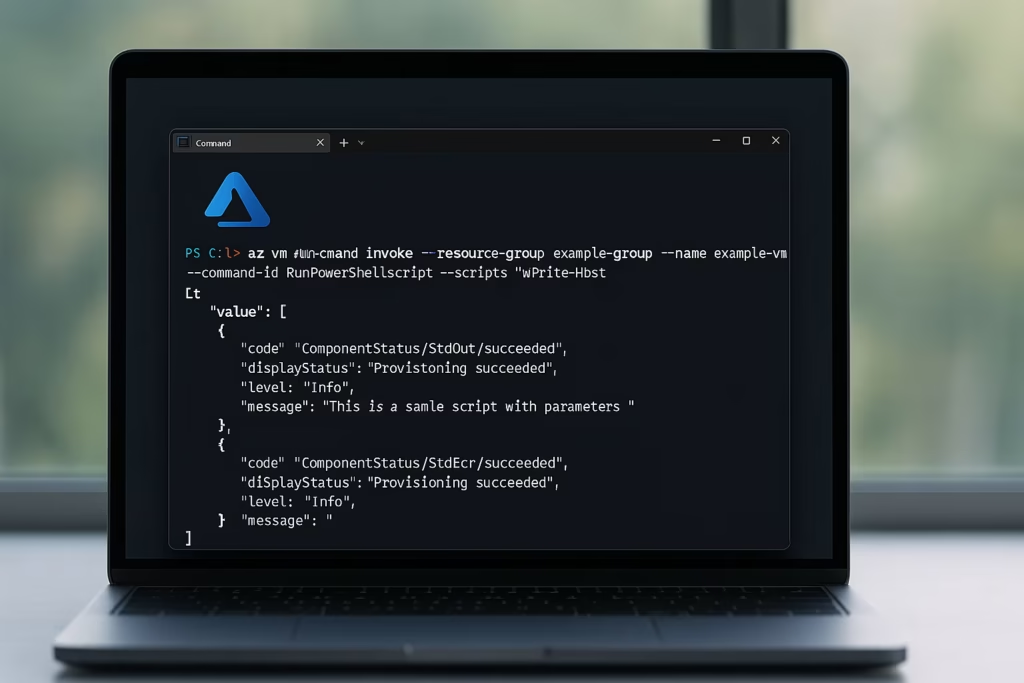
“This is a sample script with parameters”
you’re not alone. Many users began seeing this after the Azure CLI version 2.78.0 update, which broke the normal behavior of the az vm run-command feature.
Don’t worry — this isn’t your fault or an Azure outage. It’s a bug in the Azure CLI itself, and there are simple ways to fix it.
Why the az vm run-command Stopped Working
Normally, when you use this command:
az vm run-command invoke \
  --resource-group "mygroup" \
  --name "myvm" \
  --command-id RunPowerShellScript \
  --scripts "Write-Host hello"
You should see your script’s output (for example, “hello”).
But after updating to Azure CLI 2.78.0, the same command instead shows:
"This is a sample script with parameters"That’s the default test message the system uses when your script doesn’t actually get passed to the VM agent — meaning the CLI never sent your script at all.
Quick Fix: Downgrade Azure CLI to Version 2.77.0
The easiest and most reliable fix is to roll back to the last working version.
For Windows (via Winget)
az version
winget uninstall -e --id Microsoft.AzureCLI
winget install -e --id Microsoft.AzureCLI --version 2.77.0
az version
For macOS (via Homebrew)
brew uninstall azure-cli
brew install [email protected]
brew link --overwrite [email protected]
For Linux (APT)
sudo apt remove azure-cli -y
sudo apt install ./azure-cli_2.77.0-1~buster_amd64.deb
For Docker (no local install needed)
docker run --rm -it mcr.microsoft.com/azure-cli:2.77.0
az login
After the downgrade, re-run your original command — it will start working again.
Alternative Fix: Use Managed Run Command
If you’d rather not downgrade, Azure offers a Managed Run Command feature that works independently of the broken CLI path.
Run this instead:
az vm run-command create \
  --resource-group "<rg>" \
  --vm-name "<vm>" \
  --name "MyRunCommand" \
  --script "Write-Host hello from Managed Run Command"
This executes your script successfully without relying on the broken “invoke” method.
Option 3: Use PowerShell Instead
If you already use PowerShell for Azure, the following command works perfectly:
Install-Module Az.Compute -Scope CurrentUser
Invoke-AzVMRunCommand `
  -ResourceGroupName "<rg>" `
  -Name "<vm>" `
  -CommandId 'RunPowerShellScript' `
  -ScriptString 'Write-Host hello'
This PowerShell command sends your script directly to the VM, unaffected by the CLI bug.
Why This Happens
Azure CLI version 2.78.0 introduced a regression that fails to forward the --scripts content to the Azure VM agent.
Instead, the agent executes its built-in test script — which prints “This is a sample script with parameters.”
Until Microsoft releases a fix (likely in 2.79.0), version 2.77.0 remains the stable option.
How to Confirm It’s Fixed
Run this test again after applying any of the fixes:
az vm run-command invoke \
  -g "<rg>" -n "<vm>" \
  --command-id RunPowerShellScript \
  --scripts "Write-Host FDAYTALK_OK"
If you see FDAYTALK_OK in the output, your issue is resolved.
Quick Tips for AZ VM run-command not working
- Stay on Azure CLI 2.77.0 until the next version patch is confirmed stable.
- For CI/CD pipelines, use the Docker image pinned to version 2.77.0 to prevent auto-updates.
- If you rely heavily on automation, consider switching to PowerShell or Managed Run Command temporarily.
Read More:
- Azure VM Series Retirement 2028 Explained: F, Fs, Lsv2, G, Av2, and B-Series Migration Guide
- Azure Site Recovery Debian 12 Compatibility Guide (Fix for Kernel 6.1.0-40-cloud-amd64)
- How to Check If Azure Cache for Redis Is Affected by CVE-2025-28173 (Redis Sandpiper Vulnerability)
- How to Fix Azure Nonprofit Grant Sponsorship Confusion and Stop Pay-As-You-Go Charges